Steps to log in to the website
1
Step One
Go to our website "fhtc.sa"

2
Step Two
Click on Create a New Account

3
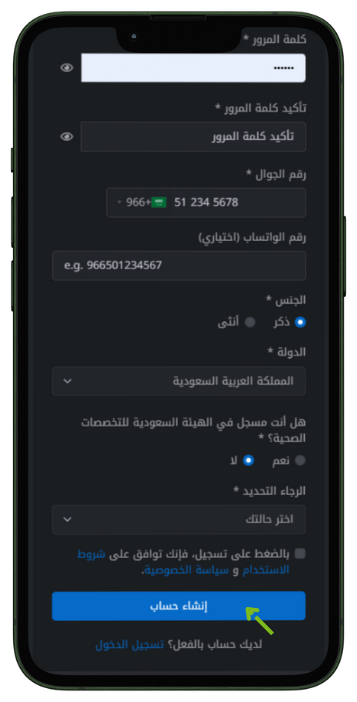
Step Three
Fill in the information and click Create Account
4
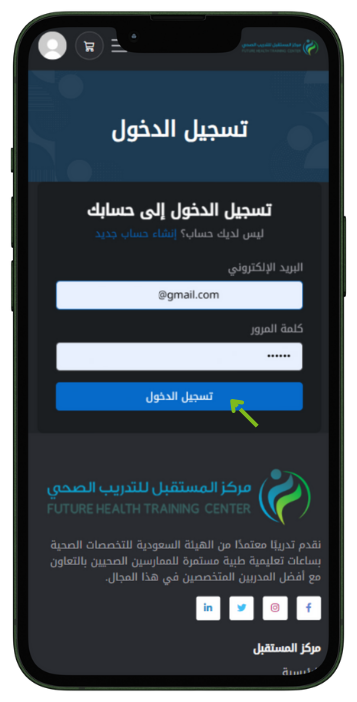
Step Four
Enter email and password then click Sign In
5
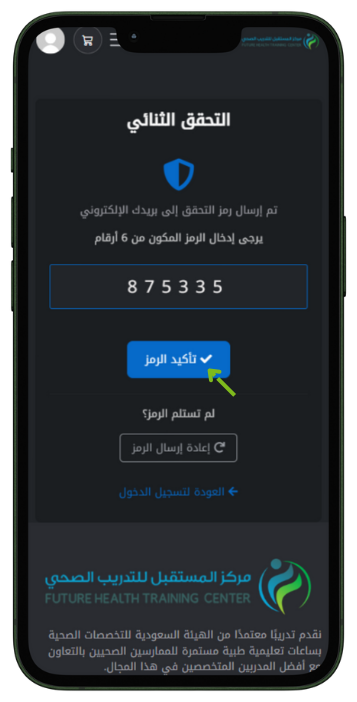
Step Five
Enter the verification code sent by email and click Confirm Code
6
Step Six
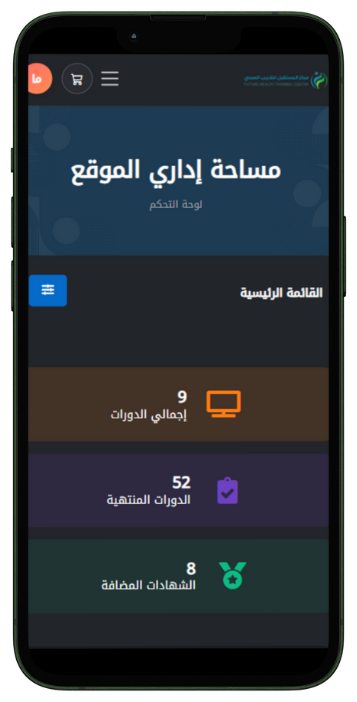
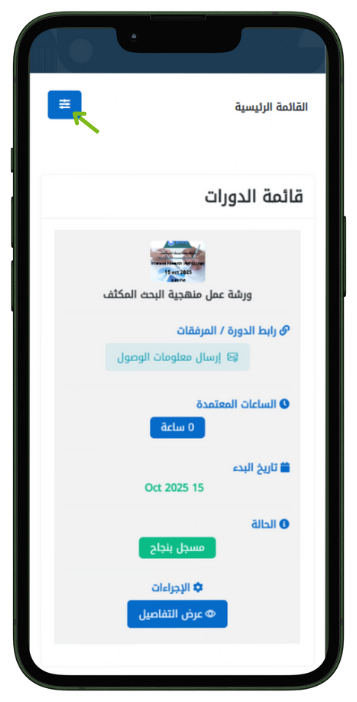
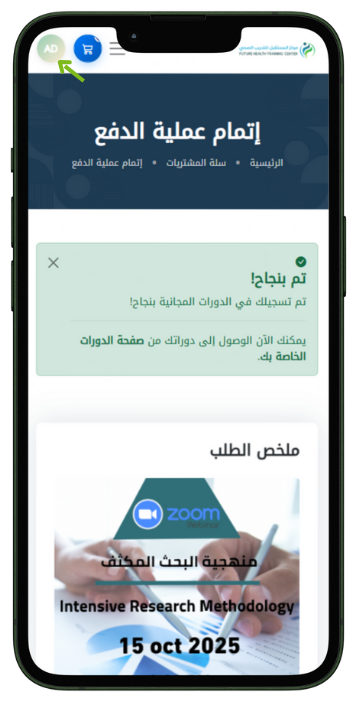
Login completed successfully